 Stolen Reps
Workout generator by equipment: build a session from exactly what you own
Quick answer: an equipment-based workout generator asks what gear you have — dumbbells, kettlebell, barbell + rack, bands, a pull-up bar, machines, or nothing — and programs a complete session using only that. In Stolen Reps, check your gear once in Settings and every generated workout, plan session, and adaptation respects it automatically.
Why generic programs fail at home
Most workout programs quietly assume a commercial gym: leg press here, cable row there. Follow one at home and you're constantly substituting on the fly — which usually means skipping the hard lifts or doing a worse version of the workout. The fix is inverting the order: start from the equipment, then build the program.
What good equipment-aware generation looks like
- Any-of vs all-of logic. A goblet squat needs a dumbbell or kettlebell. A back squat needs a barbell and a rack. A generator that doesn't model the difference will prescribe lifts you literally can't set up. Stolen Reps gates every exercise with this AND-logic.
- Pattern coverage from any gear. Whatever you own, a balanced session still needs a squat, a hinge, a push, and a pull. With bands only, that might be band pulldowns; with a rack, it's the real thing.
- Honest fallbacks. No equipment at all should produce hard bodyweight progressions — pike push-ups, tempo squats, Nordic curls — not endless air squats.
- Today ≠ every day. Your default gear lives in your profile, but traveling? One tap swaps today's session to hotel-room equipment without touching the plan.
How to do it in Stolen Reps
- Settings → Home Equipment. Check off what you own — from bodyweight-only to barbell, squat rack, bench, kettlebells, bands, machines, sleds and ergs.
- Generate. Pick time + training style; the session is built from your gear with proper warm-up, paired main lifts, and a finisher.
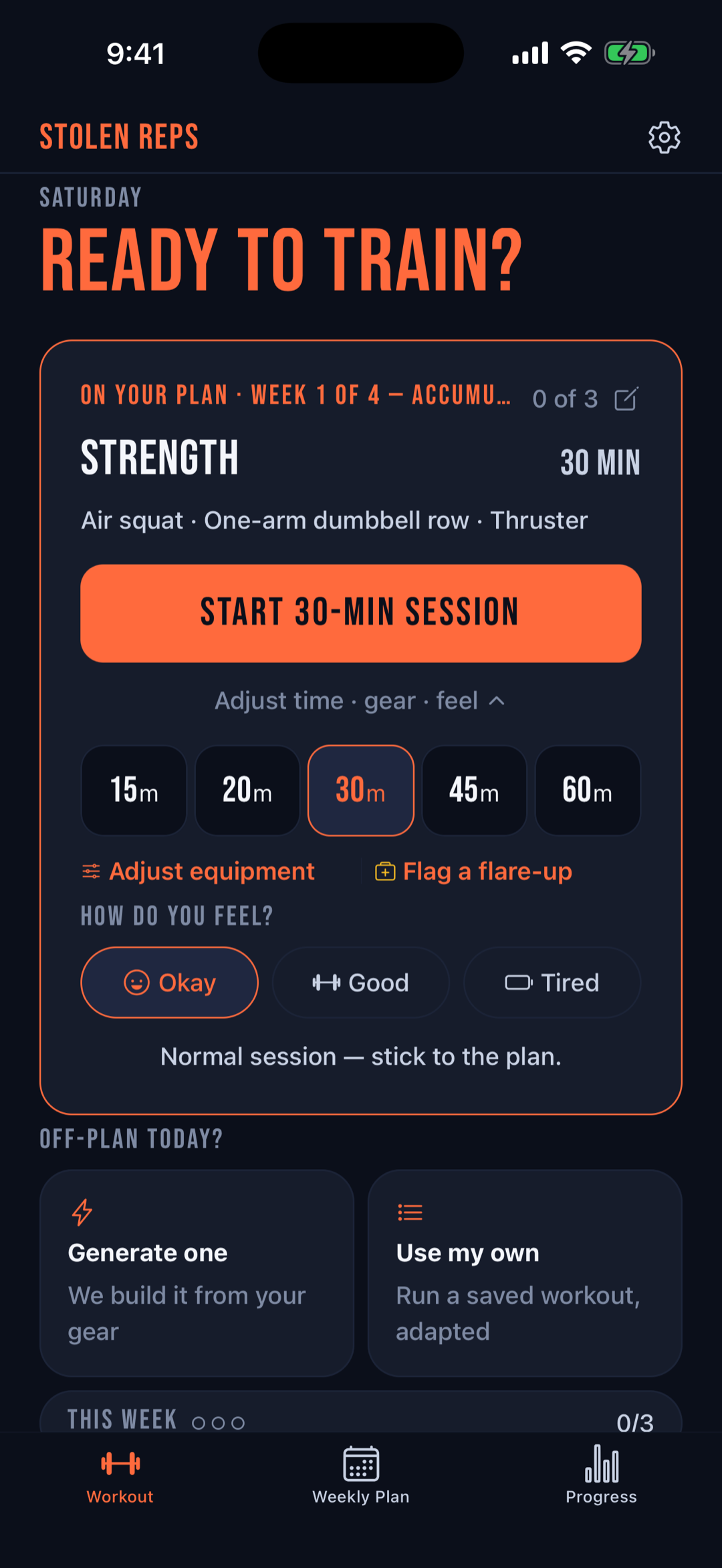
- Override per session. On the home screen, "Adjust time · gear · feel" changes today's equipment (garage vs. living room vs. hotel) without changing your defaults.
- Swap any single move. Don't like a pick? The variations sheet offers alternatives that still fit your equipment and muscle target.
Related: garage gym workout plans · the 20-minute dumbbell workout · the workout app for busy dads.